Loading documentation
Open Scheduling → Interviews to review scheduled interviews and outstanding feedback across the jobs you can access. Select a row to open the candidate's Activity tab when permitted, or the interview's restricted briefing when full candidate access is unavailable. The list brings work together; interview actions stay with the application they concern.
Choose the right scheduling page
| Page | Use it for |
|---|---|
| Requests | Requests awaiting setup, candidate responses, rescheduling or delivery fixes, plus authorized employee scheduling-help tasks. |
| Interviews | Scheduled interviews, rescheduling requests with a recorded time, and outstanding interview feedback. |
| Calendar | Interviews and other recruiting events alongside available work-calendar busy information. |
Read the interview list
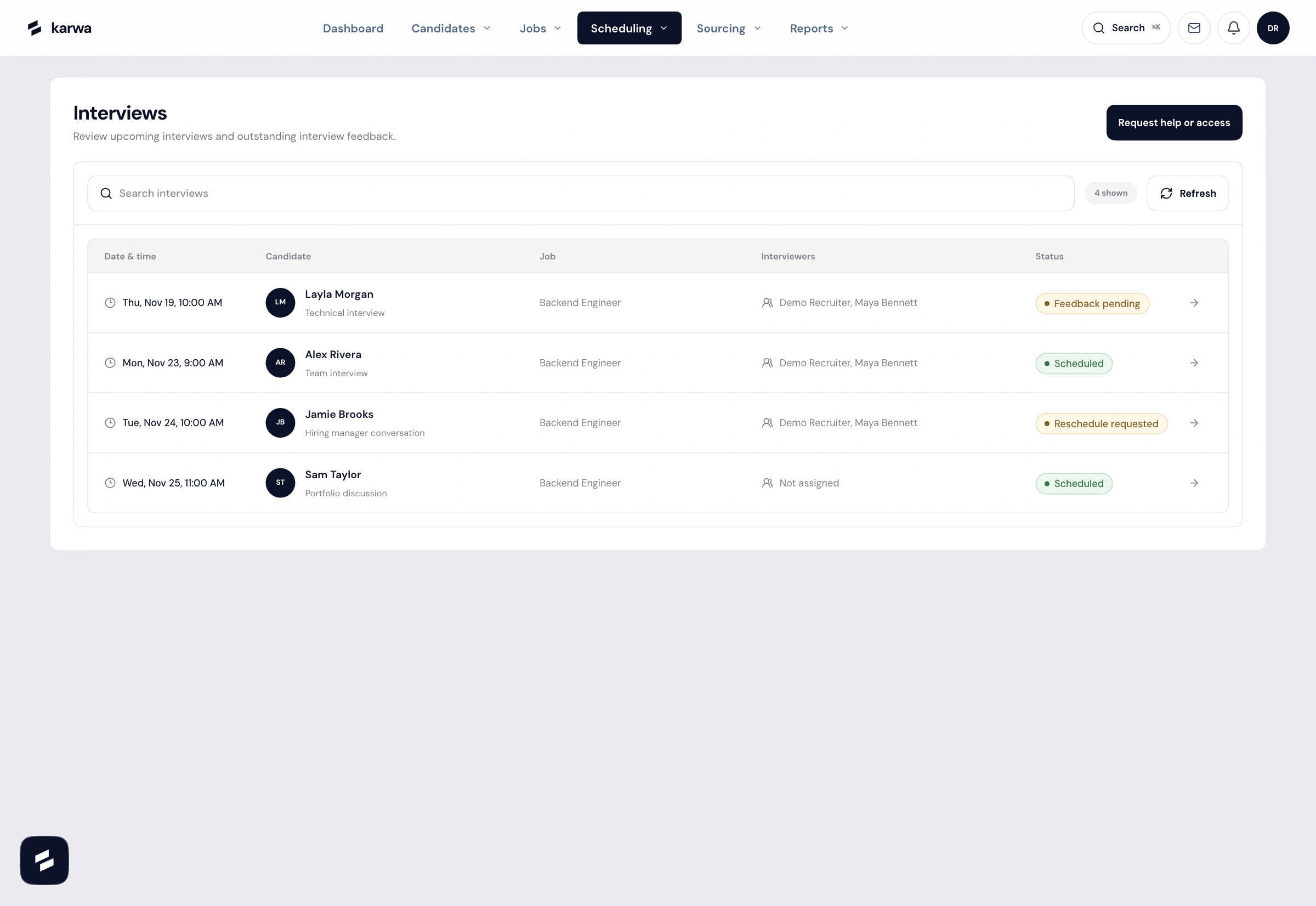
Reviewed November 22, 2026. Screenshots show the actual light-mode interface with fictional interviews, candidates and employees, including an unsent feedback draft. No interview was booked, changed or joined, no message was sent and no feedback was submitted to prepare these images. Your records and available actions depend on permissions, assignment and current state.
| Column | Meaning |
|---|---|
| Date & time | The recorded interview start, displayed in your browser's local time. Confirm the interview's stated time zone in its activity before contacting participants. |
| Candidate | The candidate's name and interview title. Select the row to open the relevant application. |
| Job | The role associated with this interview. A person applying for several jobs can have separate interview records. |
| Interviewers | Recorded interviewer names. Not assigned means no names were returned here; review the activity's assignment before proceeding. |
| Status | The interview workflow state. This is separate from the application's hiring stage. |
The list is ordered by start time, earliest first, so older outstanding feedback can appear above upcoming appointments. On narrow mobile screens, each interview becomes a stacked row; the desktop column headings are hidden. The count describes interview activities, not unique candidates: the same person can have several interviews or applications.
This page has no status tabs, date picker, interviewer dropdown, Columns menu, user-controlled sort, pagination, row selection or bulk actions. Search the loaded permitted list; use Calendar for date views and employee comparison, and Requests for unresolved scheduling work. The listed interviewer names do not prove that each person is an eligible feedback reviewer; feedback assignment is checked separately.
Understand interview statuses
| Status | What to check next |
|---|---|
| Scheduled · green | A time is recorded. Open the activity to check the participants, meeting information and instructions. A recorded time does not prove invitation delivery or attendance. |
| Feedback pending · amber | Feedback remains outstanding. Read the activity and submit feedback only if you are assigned and the action is available. Do not assume the interview took place from this label alone. |
| Reschedule requested · amber | A replacement arrangement needs attention. Review the request and current meeting details before changing or contacting participants. |
Scheduled and rescheduling entries are limited to recorded start times from the beginning of today in the workspace time zone to the beginning of the day 180 local days later, with that endpoint excluded. Displayed list dates still use your browser's local time, so the visible date can differ near midnight. Feedback pending entries remain eligible even when their interview date is older. Completed, cancelled and unbooked interviews, and steps removed or superseded by a plan change, are not included. An interview needs a recorded date to appear; an undated request belongs in Requests when eligible. Use the candidate's activity history for wider context; this page is not a complete historical attendance report.
Search and refresh interviews
Use Search interviews to match a candidate, job, interview title, interviewer name or status. For example, search feedback pending to find outstanding feedback among the interviews returned to you. Search is case-insensitive and narrows your permitted list; it does not search every candidate in the workspace. The shown count reflects the current results.
Select Refresh to reload the list. Returning focus to the page also refreshes it. Neither action sends a message or changes an interview.
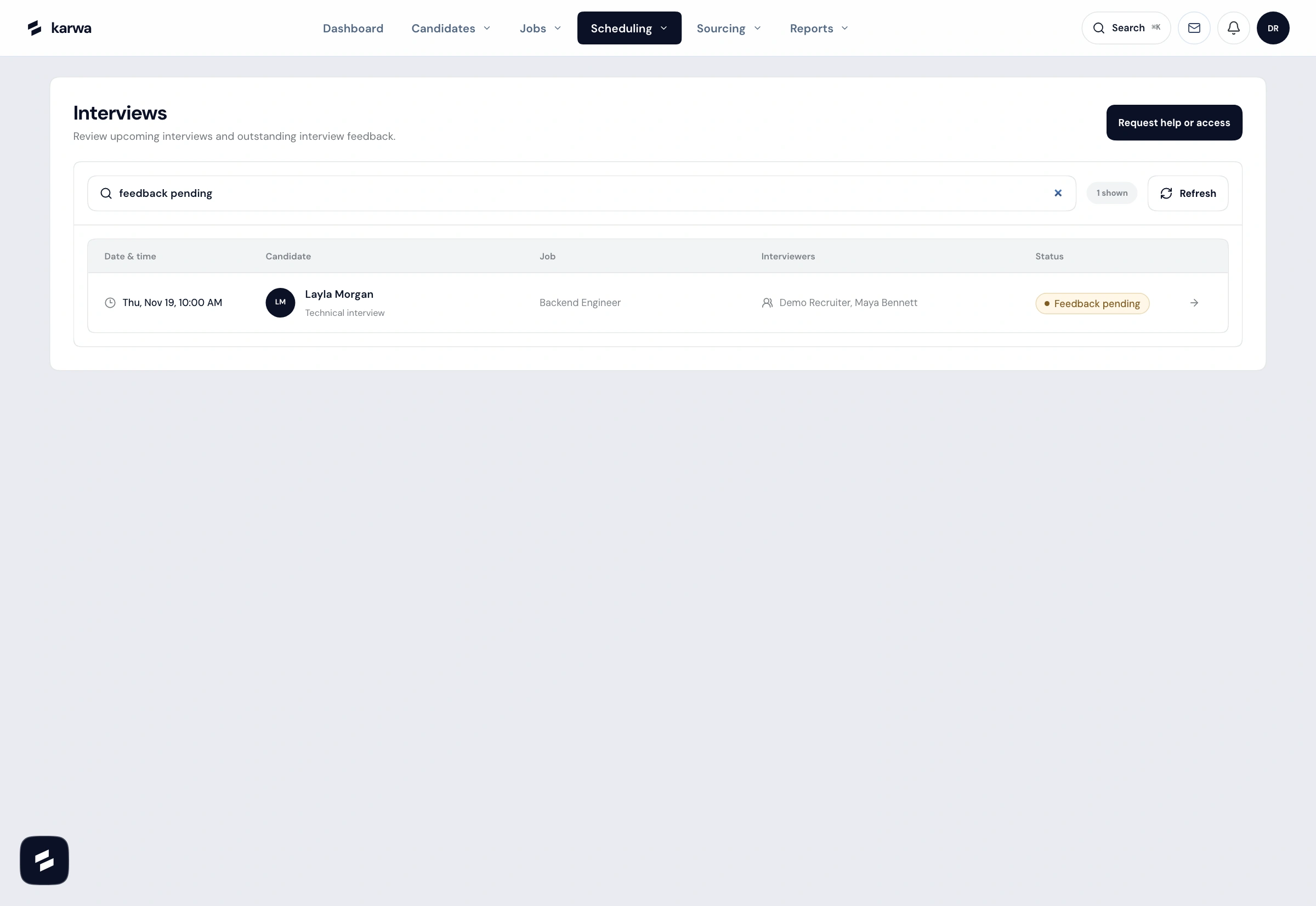
Search accepts a displayed status with spaces or its internal underscore spelling, such as feedback_pending. Clear the text to return to the full returned list. The shown counter reflects matching interview activities; it is not a global hiring total or evidence that a candidate attended. A successful Refresh retains your current search, so clear it when investigating a missing record.
Open the candidate's Activity tab
- Select the interview row.
- Karwa opens the job's Candidate Pipeline with the relevant candidate and Activity selected.
- Find the interview card and review its status, time, participants and available actions before continuing.
Existing interview-detail links also take users with candidate access to this Activity view. Opening a row does not join the meeting, submit feedback, resend a request or change the candidate's stage.
The destination is the Activity tab, rather than a guarantee that a particular card is selected or scrolled into view. A candidate can have several activities. Confirm the interview title and date before using its controls.
Access for assigned interviewers
Opening the full candidate workspace requires access to the job and the relevant job-viewing and candidate-viewing permissions. An assigned interviewer without that access can instead receive a restricted interview view. It can show the interview time, location, meeting link and the briefing material enabled for that assignment. It does not grant the full application or other jobs.
Briefing content depends on the employer's Interviewer briefing settings. Feedback submission has separate permission, assignment and interview-state requirements. A meeting link, résumé or feedback form may therefore be absent. Do not forward private links or download material for an unrelated purpose.
Use Request help or access to open My requests if you need assistance. An employee scheduling-help task is separate from booking the interview; follow Manage scheduling requests for that workflow.
Inside the restricted interview page
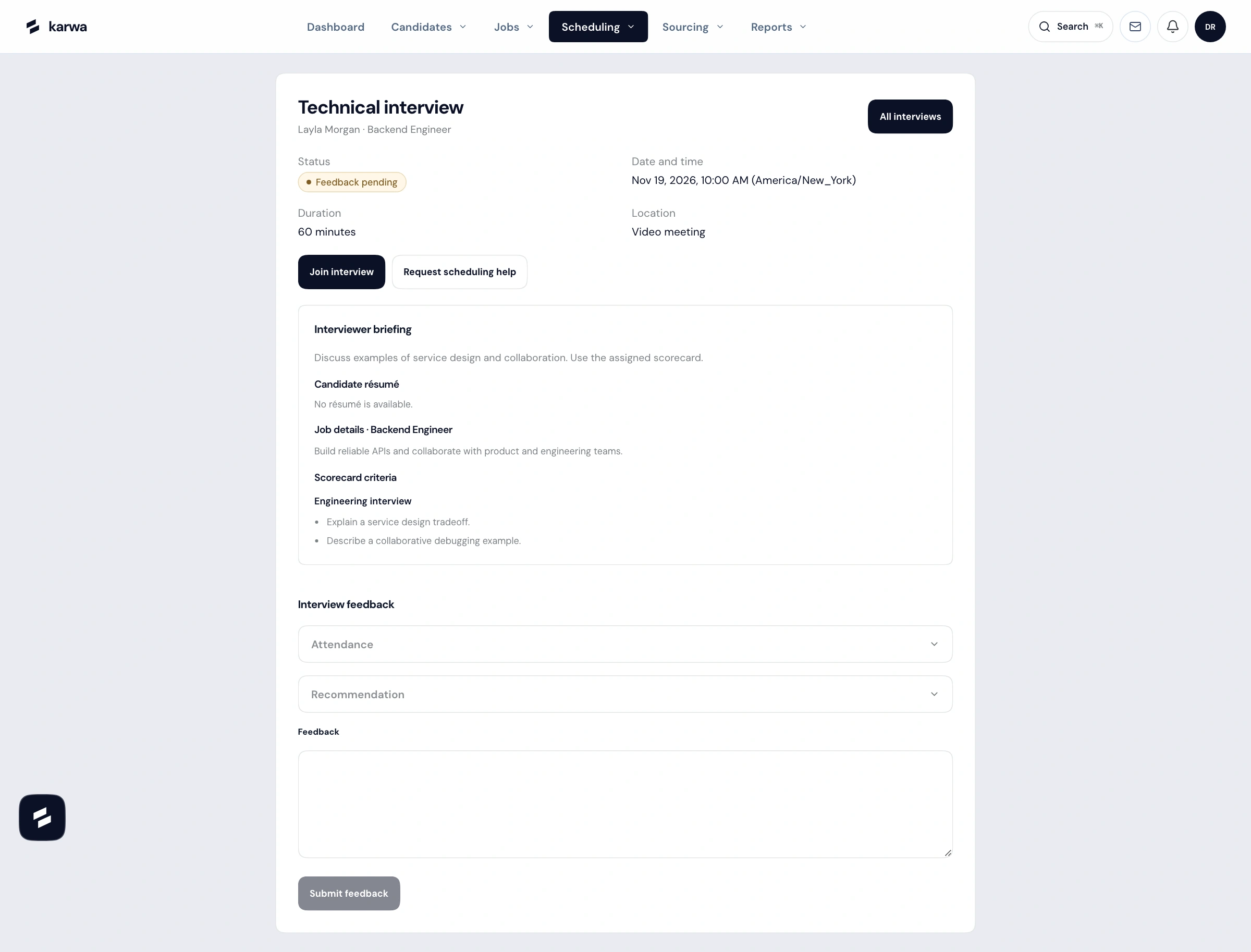
The interview route is /dashboard/scheduling/interviews/{activityId}. Users with full candidate access are redirected to the candidate's Activity tab; assigned participants without that access can remain on this briefing. It is not a second unrestricted candidate profile.
| Detail or control | Meaning |
|---|---|
| Status | The current interview state returned for this activity. A green Scheduled badge differs from the Calendar's blue Interview type color. |
| Date and time | The recorded start in the interview's stated time zone when present; otherwise the browser's zone. Time not yet confirmed means no start was returned. |
| Duration / Location | The activity's duration and meeting location; Not specified means no location was supplied. |
| Join interview | Opens an available HTTP(S) meeting URL in another tab. It does not mark attendance or submit feedback. It can be absent. |
| All interviews | Returns to this interview list. |
| Request scheduling help | Opens My requests; choose Ask for scheduling help when creating that separate internal task. |
| Interviewer briefing | The instructions and résumé, job details or scorecard criteria enabled by the employer for this assignment. |
A résumé can be unavailable even when its section is enabled. Download résumé appears only when a permitted file is available; downloading is separate from viewing or giving feedback. Job details can be absent and a scorecard can have no assigned criteria. These states do not prove that no other candidate material exists. View or download only what your assignment permits.
Complete your interview feedback
Feedback appears only when this activity, your assignment and permissions permit it. Read the candidate, interview title, date and briefing before entering a review. A missing form may mean you are not a reviewer, already submitted, lack permission or the interview is not in an eligible Feedback pending state. Do not infer that all interviewers have submitted from your own form disappearing.
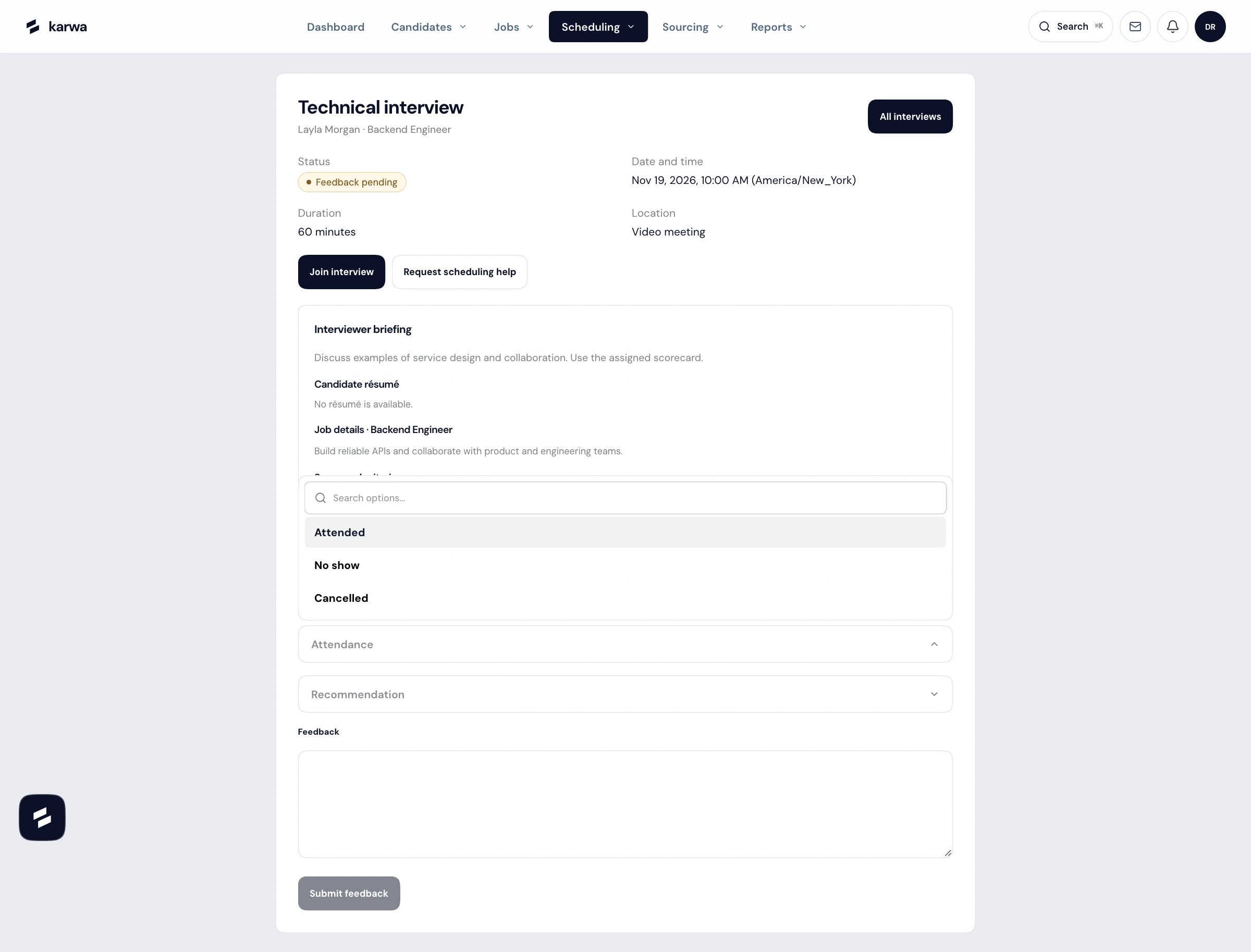
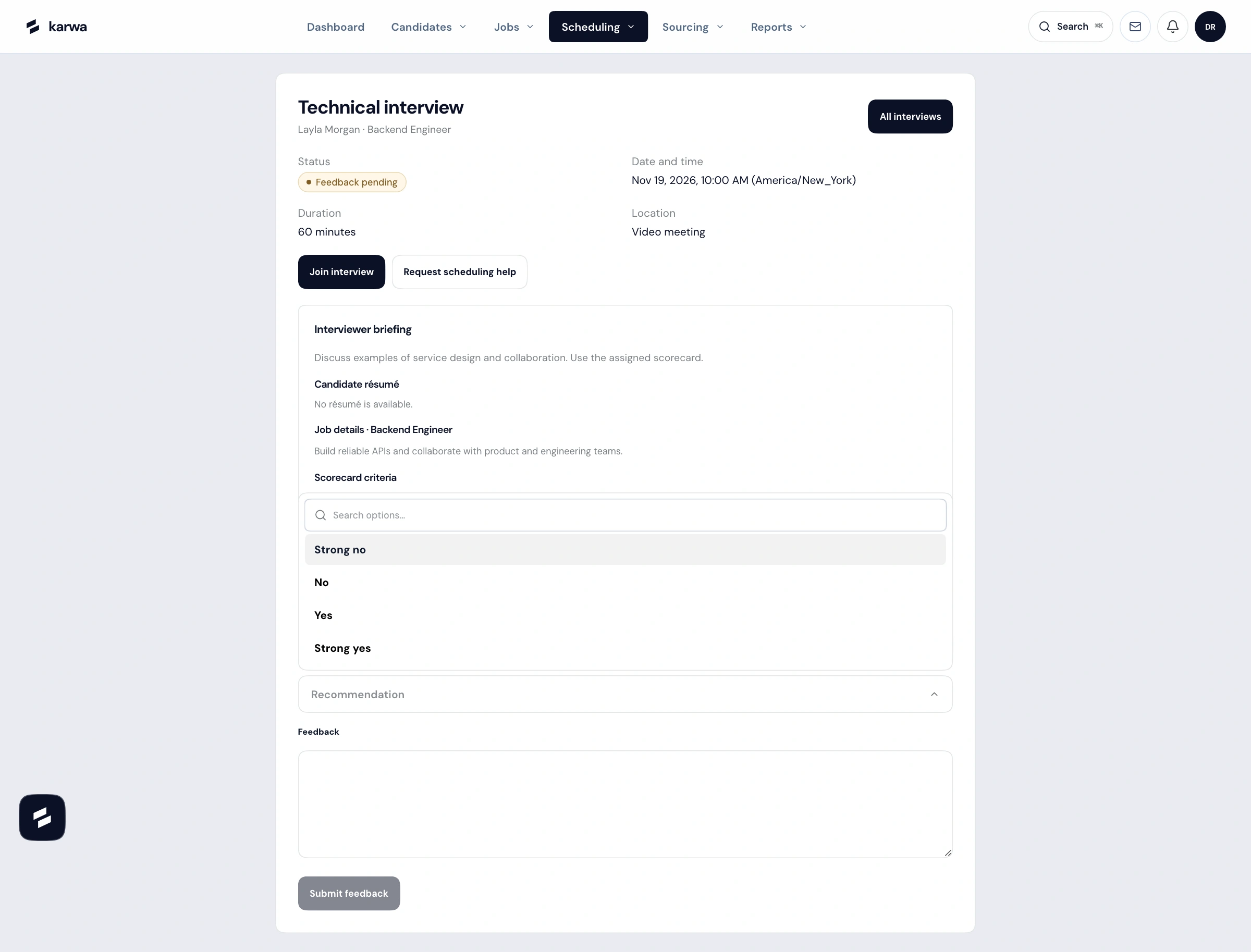
| Input | What to enter |
|---|---|
| Attendance | Attended, No show or Cancelled, based on what actually happened. This review input is not the action for cancelling a calendar booking. |
| Recommendation | Strong no (1), No (2), Yes (3) or Strong yes (4). This human recommendation scale is separate from AI screening scores. |
| Feedback without a custom form | Required text of at least five characters; up to 10,000 characters. Explain relevant observations and evidence. |
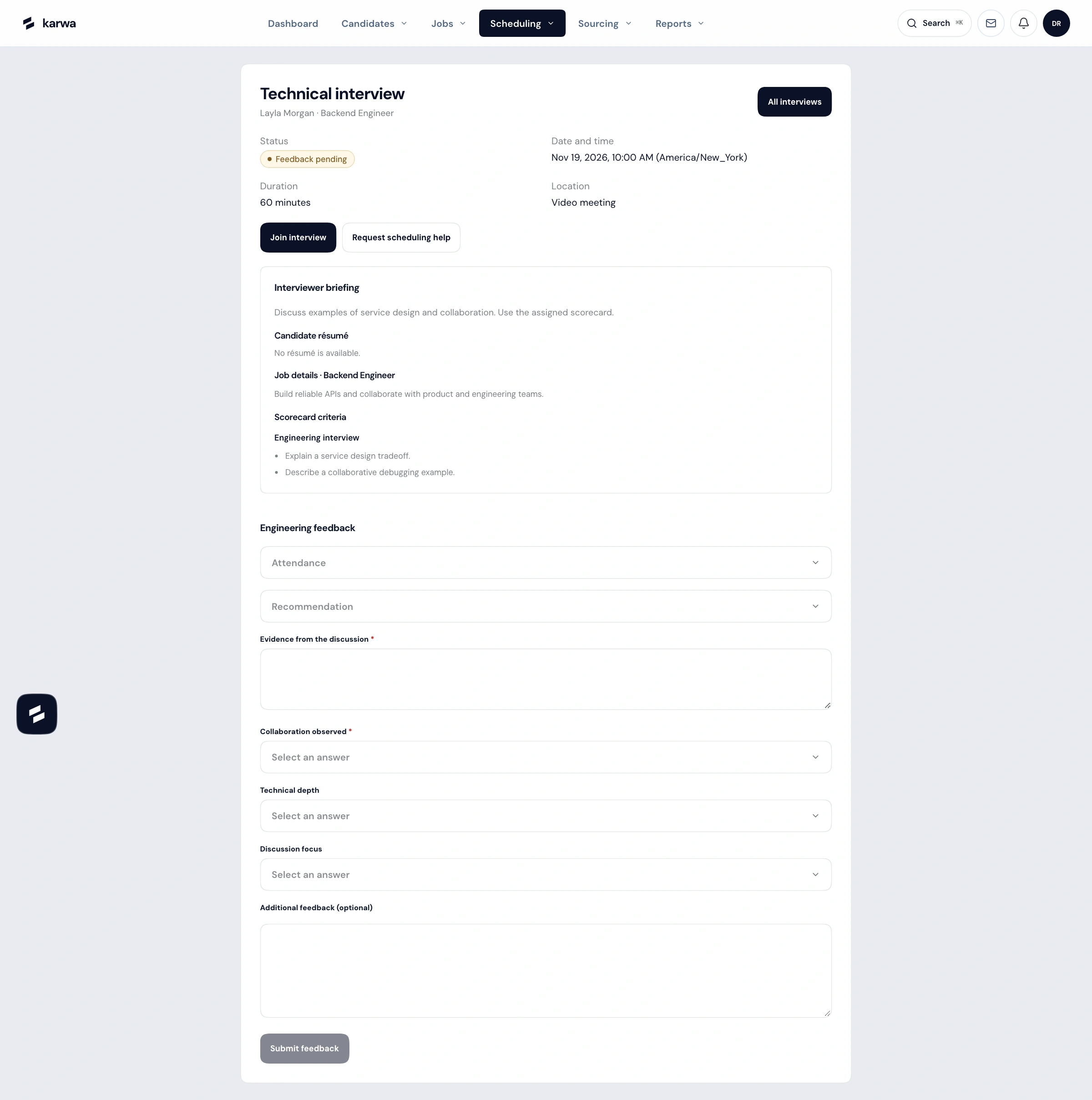
| Custom form questions | Complete every question marked required. Depending on its type, use text, a 1–4 rating, Yes/No or one of the configured options. |
| Additional feedback with a custom form | Optional text, up to 10,000 characters. Required custom questions remain required. |
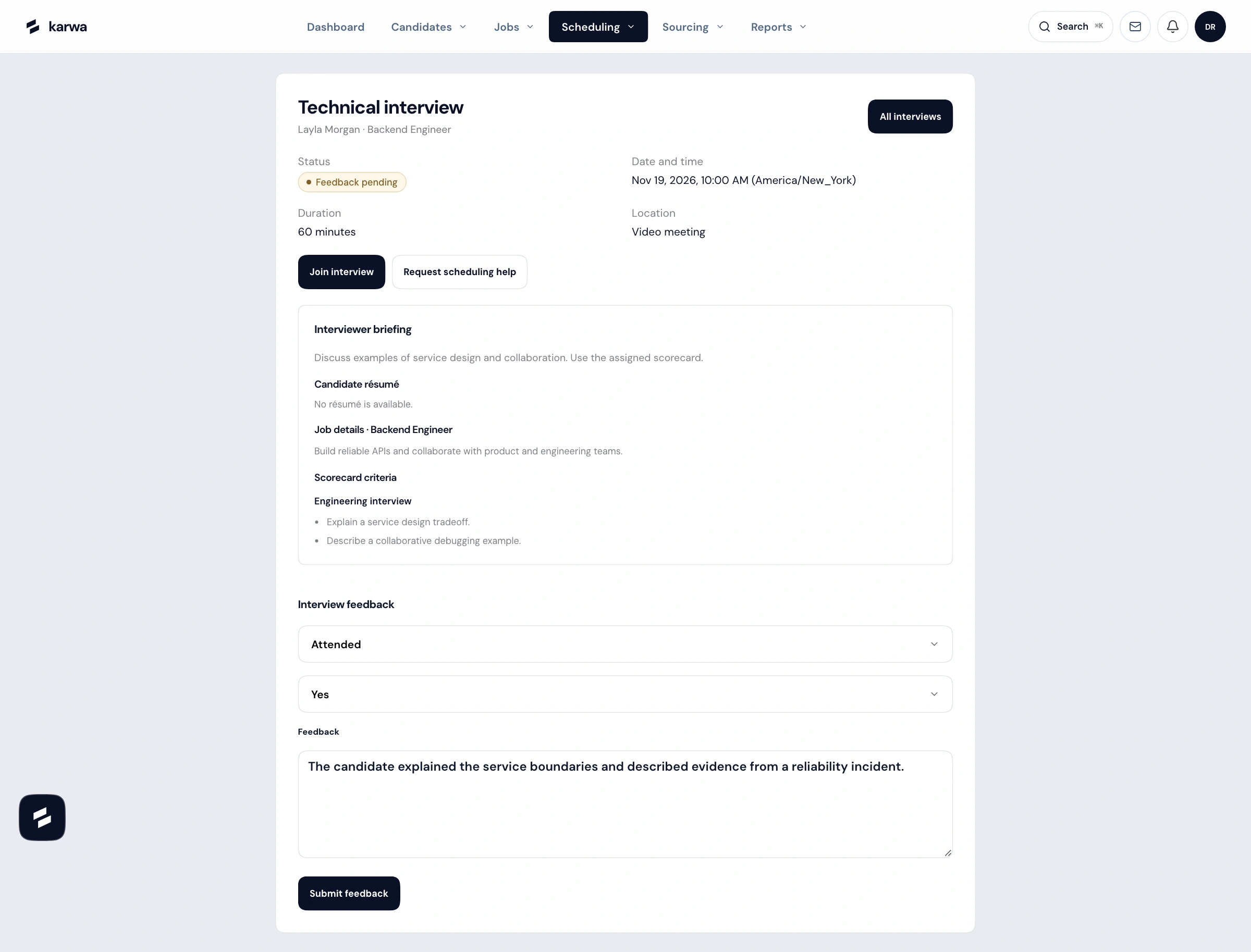
Submit feedback stays disabled until attendance, recommendation and required content are present, or while saving. Selecting it sends the review immediately; there is no extra confirmation on this page. Opening the page, choosing answers or entering text does not save a draft to the interview. Leaving or refreshing can lose unsent text. Record your own evidence; do not submit for another reviewer or use placeholder feedback to clear the list.
After success, the page reports Your interview feedback was submitted. and reloads the activity. If the save fails, read the error and review the current record before retrying; a filled form is not proof of saved feedback. The interview can remain Feedback pending while other required reviews are outstanding. Submitted scores can feed configured feedback/debrief rules; review Feedback and debriefs and Interview plans for those workflows.
Access and visibility
The list and interview briefing require an eligible workspace and View interviews. Candidate access and interview participation determine the records returned; a participant may receive a restricted briefing without general Jobs/Candidates access. Private activity access and confidential-job rules still apply. A scheduler or manager can have a wider permitted team view; this does not grant feedback submission as someone else.
Opening the full candidate destination needs job access plus View jobs and View candidates. Feedback additionally needs Submit feedback, an eligible unresolved Feedback pending activity and the actual reviewer assignment. A permission name or screenshot alone does not establish access; the service checks the current record. Ask an administrator to review your role and assignment if the expected page or form is unavailable.
Missing interviews and other problems
| What you see | What to do |
|---|---|
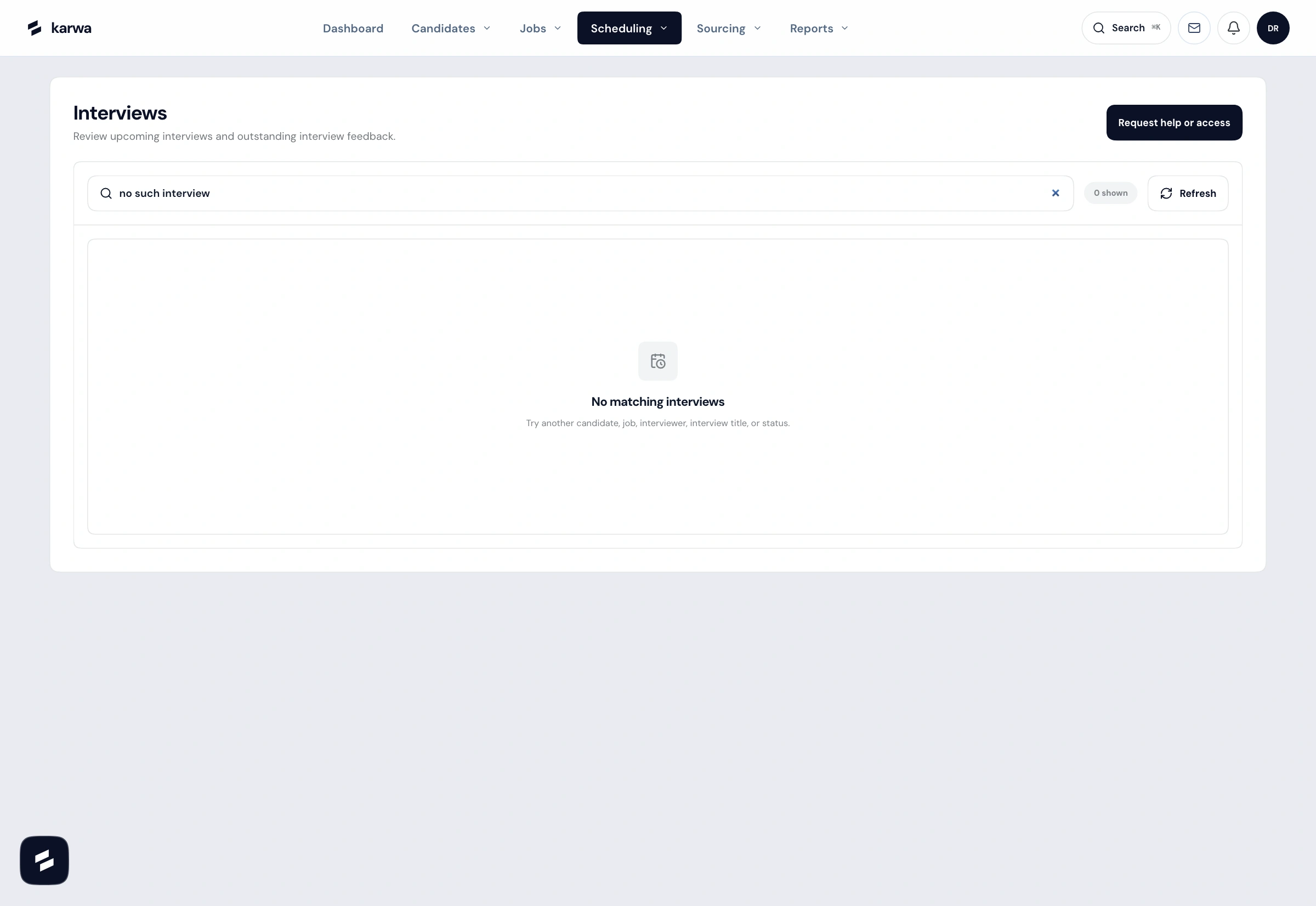
| No matching interviews | Clear or change the search. Try a candidate, title or displayed status. |
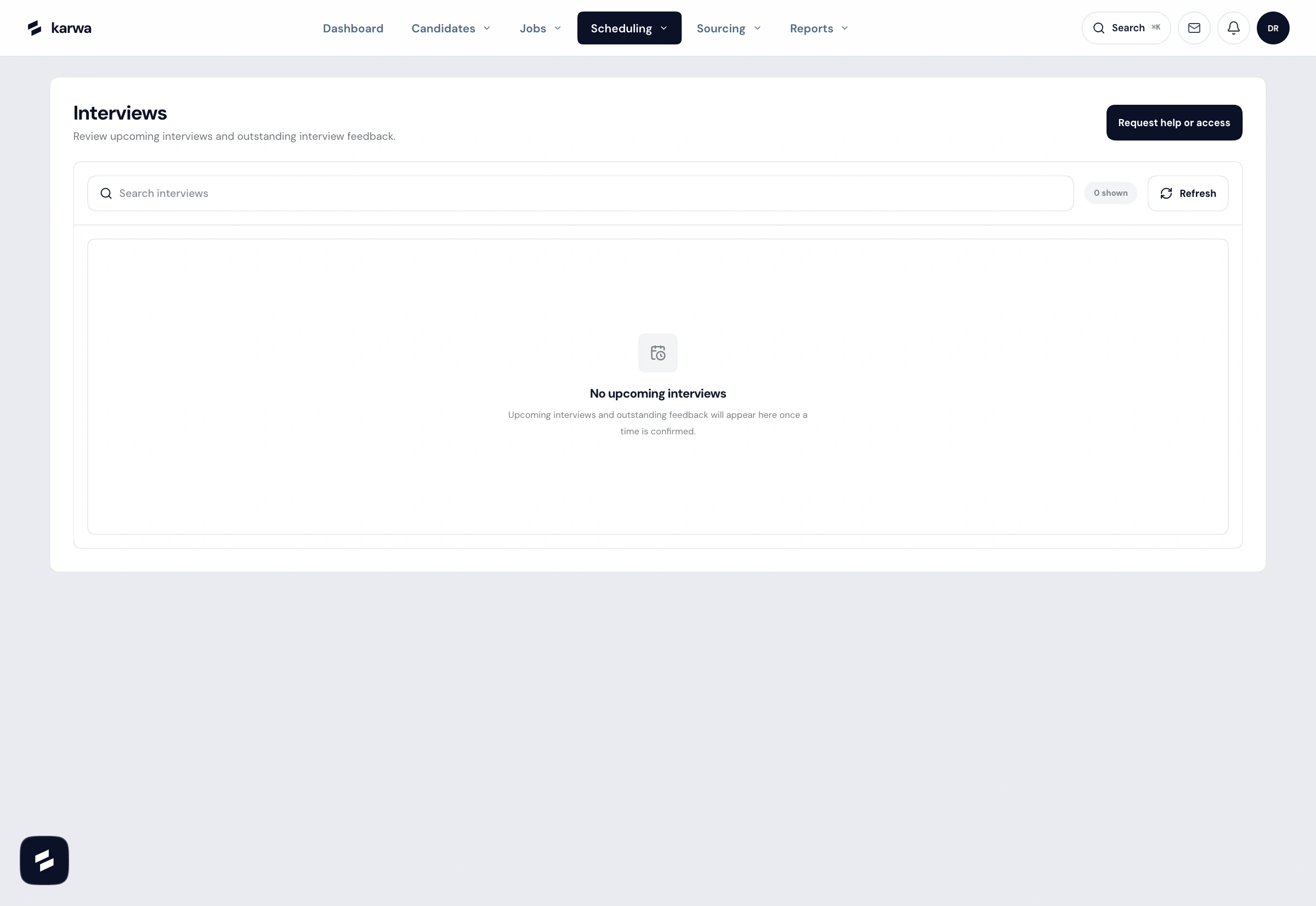
| No upcoming interviews | Check your job access, assignment, interview state and date. This view also includes eligible overdue feedback, so an empty list does not establish that no interviews have ever existed. |
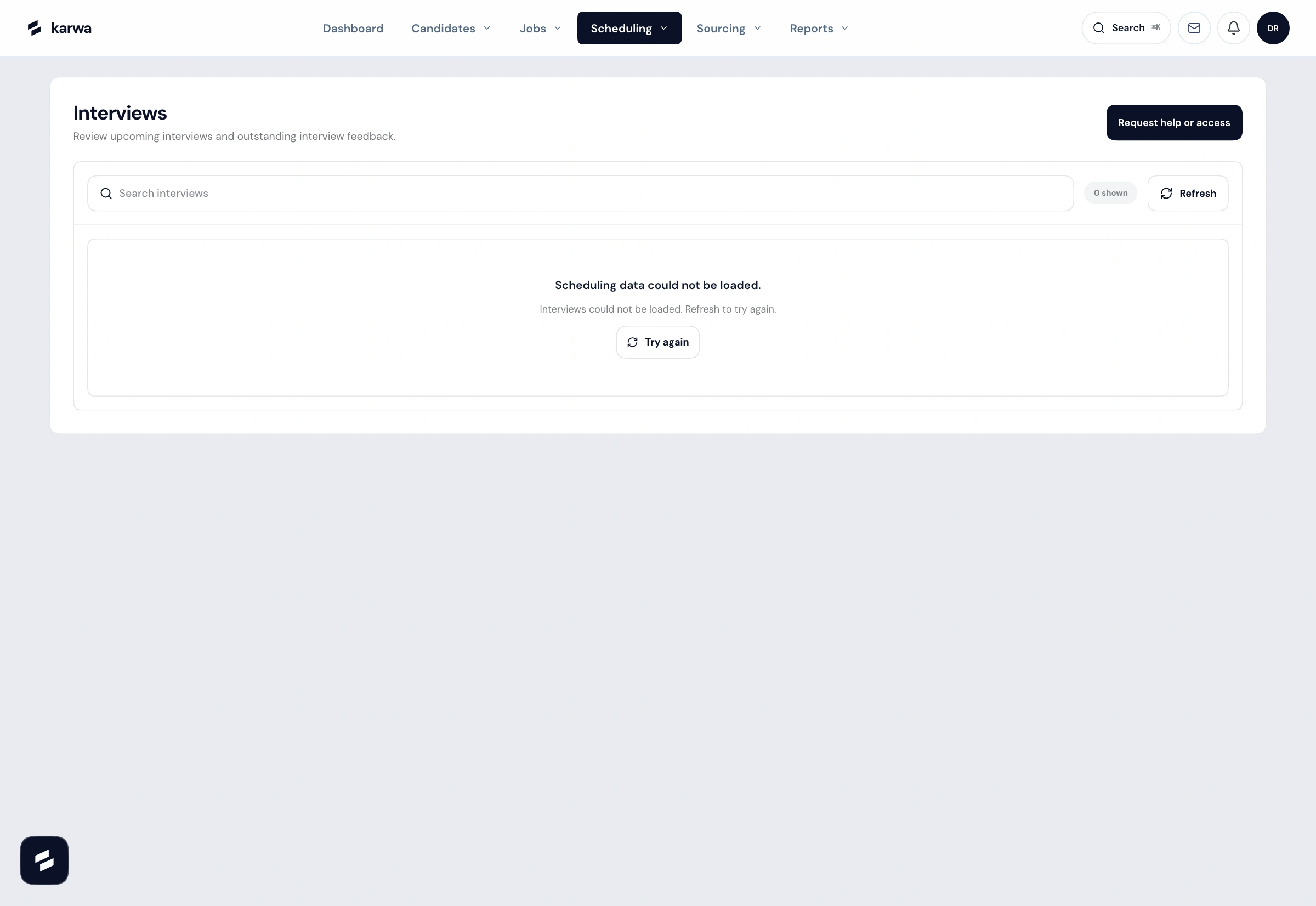
| A loading error | Select Try again or Refresh. A failed request is not an empty result. |
| An older meeting missing from the list | Open the candidate's Activity tab and review its history. Completed interviews are outside this queue. |
| Candidate access is restricted | Use the permitted interview briefing or ask an administrator to review access. An interview assignment alone does not grant candidate access. |
Ask Karwa about Interviews
Ask Karwa reads this same article with product_guide(topic=scheduling-interviews-page). Ask about the list columns, three statuses and their colors, local date display, workspace date window, search/counts, permitted row destinations, briefing and every feedback input. The exact Interviews page URL and this documentation URL also resolve to this guide. Interview defaults remains a separate settings topic.
For current interview totals or filters, Ask Karwa uses authorized interviews_summary or assigned_interviews reads, then interview_briefing with the exact activity ID for permitted details and reviewer eligibility. Summary filters can narrow by actual job, candidate application, exact interviewer, assignment, state, date range or duration and can page results; these chat query options are not extra controls on the visible page. Follow next_offset for a complete requested list. Totals concern matches before pagination; assigned-interviewer counts can count one shared interview for several employees, and scheduled minutes are not attended minutes.
Use authorized interview_invitation evidence when checking actual invitation delivery, scheduling_requests_summary for unresolved requests, or calendar_summary with explicit dates/history for authorized retained-date history outside this list's scope. A denied or incomplete read is unknown, not zero interviews or proof of availability. Product guidance and fictional screenshots do not book, cancel, reschedule, join, send messages or submit feedback; live chat changes retain their existing review and permission requirements.
Related guides and privacy
Continue with Plan and schedule interviews, Interview plans, Calendar and external busy time, and Write useful scorecards.
Review the scheduling terms, scheduling privacy information and candidate privacy notice. Joining or accepting an interview invitation does not replace any required recording notice or permission.
Manage the interview after opening Activity
Follow Candidate interviews for every Schedule-menu choice, booking and availability links, reminders, manual or automatic scheduling, rescheduling, cancellation, notes, recordings and feedback. Use Feedback and debriefs for review assignments and team decisions.